Table of Contents
Video SEO for E-commerce Product Pages
Video SEO for e-commerce product About V-rank Focused On Tips And Practices For Promoting Videospages. Get Product Videos to Rank & Convert
Most product video strategy still gets built and measured like YouTube strategy: chase views, chase watch time, chase a ranking position, and assume the sale follows. For a blog or a channel built on ad revenue, that chain makes sense. For a product page, it doesn’t. A visitor who watches ninety seconds of your video and then leaves without adding the item to a cart has cost you hosting bandwidth and told Google nothing useful about whether your page deserves to rank for a buying query.
This piece is about the mechanics that connect a video ranking directly to a sale: where Google expects the video to sit, how to mark it up so a product video actually becomes eligible for both video and product rich results, whether to host it yourself or embed it, and which numbers actually tell you the video is doing its job.
Why a ranked product video that doesn’t convert is a wasted asset
A product video has one job that a blog video doesn’t: it sits on a page where the visitor has already shown purchase intent, usually within seconds of a decision window. If the video ranks well in Google’s video carousel or image pack but the page it sends people to doesn’t close the sale, you’ve won a spot you can’t use.
The usual failure mode is a video built for discovery, not for the product page it’s supposed to live on. Think of a video optimized with broad, high-volume keywords, hosted off-site, dropped into a page with no schema connecting it to the product being sold. It might rank. It won’t convert, because nothing about its placement, its markup or its call to action was built with the add-to-cart button in mind.
The fix isn’t a better video. It’s treating the video as part of the product page’s conversion path from the start: what Google indexes, where it sits on the page, what a shopper can do without leaving it, and what you measure afterward.
Where Google expects to find your video: product page versus category page placement
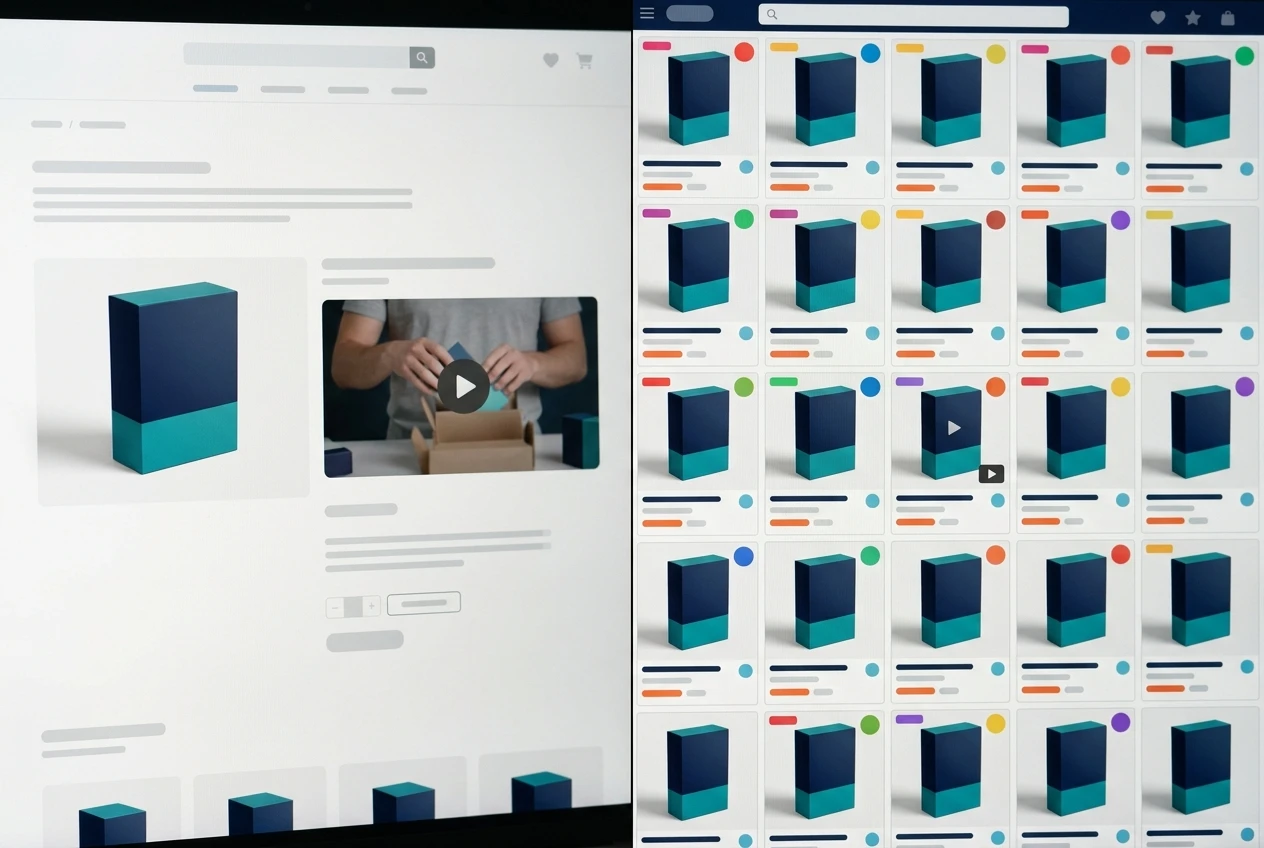
Google’s video indexing looks for a clear, singular relationship between a video and the page hosting it. On a product page, that relationship is simple: one video, one product, one clear subject. Google can associate the video with the Product schema already describing price, availability and reviews, and that association is what makes the video eligible to show up in a video thumbnail next to a specific product result, not just a generic video carousel.
Category pages break that relationship. A video sitting on a category page is usually describing a range of products, a use case or a buying guide, and Google has no single product to tie it to. That’s not a reason to skip video on category pages, it’s a reason to use different video types for different pages:
Product pages: short, product-specific videos (unboxing, demo, sizing, installation) marked up with VideoObject tied to that specific Product entity.
Category pages: comparison or buying-guide videos, marked up as VideoObject without a Product association, aimed at ranking for research-stage queries rather than transactional ones.
Mixing these up is the most common structural mistake. A demo video for one SKU, placed on a category page listing twenty SKUs, gives Google nothing specific to match it against, and the video ends up ranking, if at all, for the wrong intent entirely.
Mark up your video correctly with VideoObject and Product schema together
Ranking a product video for a transactional query depends on Google being able to read three things at once: that a video exists on the page, that a product exists on the page, and that the two are the same thing being described from two different angles.
That means your structured data needs both a VideoObject and a Product schema on the same page, and ideally connected through the same JSON-LD block rather than two separate scripts that happen to coexist. The VideoObject needs the fields Google actually checks: name, description, thumbnailUrl, uploadDate, and either contentUrl or embedUrl depending on how you’re hosting. The Product schema needs its usual fields: price, availability, sku, and aggregateRating if you have one.
The connecting piece most stores skip is making sure the video’s description and name actually reference the product by its real name and key attributes, not a generic label like “product demo video.” Google’s matching between VideoObject and Product schema is partly structural and partly textual: if the video is titled and described in terms that mirror the product title and attributes already in your Product schema, you’re giving Google a much stronger signal that these two schemas describe the same item, which is what makes the video eligible to appear directly against that product in search results rather than in a generic video result.
Getting this markup right is also what makes a video eligible to rank for a video-specific search result in the first place, not just sit on an indexed page. The field-by-field specifics, what Google actually reads versus what it ignores, are covered in more depth in how to use metadata to improve video rankings.
Shoppable video? Let a search visitor buy without leaving the page
A shopper who clicks through from a video result and lands on a page where they then have to scroll past the video to find the add-to-cart button has lost momentum they arrived with. Shoppable video closes that gap by putting the purchase action inside or immediately beside the video itself: a product tag that appears at a timestamp, a persistent add-to-cart button pinned to the video frame, or a clickable hotspot over the item as it’s shown on screen.
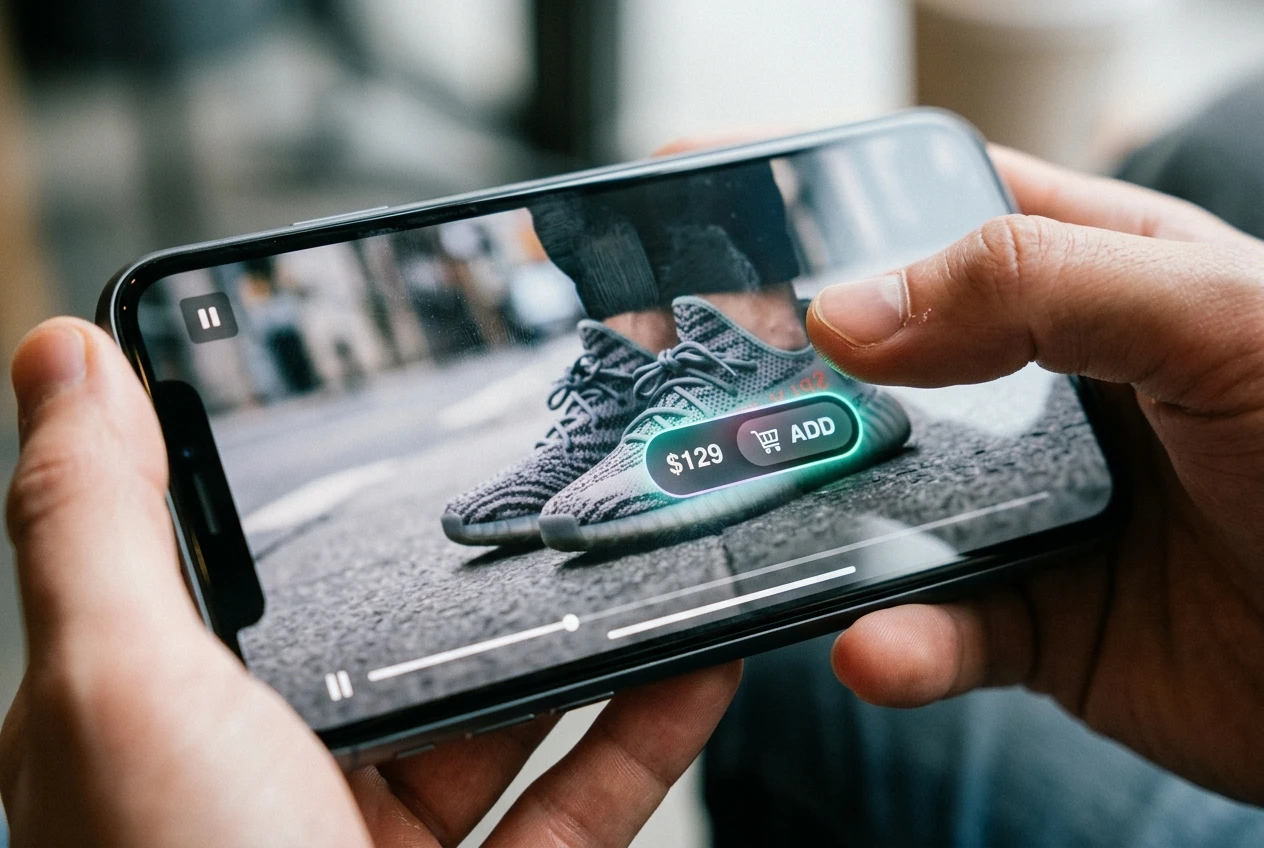
The mechanism matters less than the principle: the moment of intent, the second a viewer decides “that’s the one,” should be the same moment they can act. Every additional scroll or click between that moment and the cart is a chance for the decision to cool off.
Most ecommerce platforms now support some version of shoppable video through either a native app or a third-party player, and the setup cost is usually in tagging the video correctly (which product appears when, and where on screen) rather than in building anything from scratch. If you’re sourcing a platform or player for this, it’s worth checking how it handles the schema side too. Not every shoppable video player generates clean VideoObject markup automatically, and a player that boosts on-page conversion while breaking your structured data is solving one problem by creating another.
On-site hosting versus YouTube embeds? The trade-off for conversion tracking
This is the decision most stores make by default rather than on purpose, and it has real consequences for both ranking and measurement.

YouTube embeds are easy, free to host, and come with built-in reach: a well-tagged video can pick up views and traffic from YouTube search independent of your product page entirely. But a YouTube embed also means the video technically lives on YouTube’s domain. Some of the engagement signals Google might use to evaluate the video (watch time, replays, drop-off points) are tied to YouTube’s own system, not your site, and depending on your analytics setup, a chunk of on-page video interaction can be harder to tie directly to an add-to-cart event on your store.
Self-hosted video, served from your own domain or a video CDN you control, keeps every interaction inside your own analytics. You can fire an event the moment someone hits play, pauses, reaches 50% watch-through, or clicks a shoppable tag, and tie every one of those events directly to a session that either converts or doesn’t. That’s the data you actually need to answer the question this whole piece is about: did the video help sell the product.
The trade-off is cost and reach. Self-hosting means paying for bandwidth and storage, and it means the video doesn’t benefit from YouTube’s own discovery surface. For a store running video primarily as a conversion tool on pages people already find through product search, that trade usually favors self-hosting or a CDN. For a store also trying to build an audience and organic reach on YouTube itself, a hybrid approach, embedding the YouTube video but layering your own event tracking around the player, is often the more realistic middle ground.
Build a video sitemap that gets product videos crawled and indexed
A video can be perfectly marked up and still go unindexed if Google never finds it, and for stores with hundreds or thousands of product videos, relying on normal crawl discovery is slow and inconsistent. A dedicated video sitemap fixes that by listing every video URL, its location, and its key metadata in one file Google can process directly.
A video sitemap entry needs the same core fields as the VideoObject schema: thumbnail, title, description, content location, and duration. For ecommerce specifically, keeping the sitemap structured around product URLs, rather than a separate video-only URL structure, makes the relationship between video and product unambiguous at the crawl level, not just in the schema.
A few practical points that matter more for ecommerce than for general video sitemaps:
Update the sitemap automatically when a product video is added, swapped or removed, since stale sitemap entries pointing at deleted videos waste crawl budget.
Keep video sitemap entries capped to a reasonable number per file and split across multiple sitemap files if your catalog is large, since Google does enforce limits on entries per sitemap.
Submit the video sitemap separately in Search Console rather than assuming it will be picked up as part of your main XML sitemap, so you can monitor its indexing status independently of your product pages.
Read conversion lift, add-to-cart rate and watch-through together, not rankings alone
Rank position tells you the video is visible. It doesn’t tell you whether it’s doing anything once someone sees it. The numbers that actually answer that question need to be read together, because any one of them alone can mislead you.
Watch-through rate tells you whether the video holds attention, but a high watch-through rate on a video that nobody adds to cart afterward just means you made something pleasant to watch. Add-to-cart rate for sessions that included a video view, compared against sessions on the same page that didn’t, tells you whether the video is actually moving people toward a purchase decision or just sitting there. Conversion lift, the difference in actual purchase rate between video viewers and non-viewers on the same product page, is the number that ties it all back to revenue.
Looking at these three together usually surfaces something a rankings report never would. A video might have a strong watch-through rate and a weak add-to-cart lift, which usually points to a video that’s entertaining but doesn’t answer the actual purchase question, sizing, material, what’s included. Or a video might have a modest watch-through rate but a strong conversion lift, meaning the people who do watch it are exactly the ones who were close to buying anyway, and the video is doing precisely the job it needs to do for that segment.
Set up this reporting before you invest further in ranking the video higher. A video that converts well at position six is worth more fixing-and-climbing effort than a video that ranks at position two and converts no one.
For the markup specifics that make these videos eligible to rank in the first place, see how to use metadata to improve video rankings.
SEO for vloggers on Amazon
Keep Exploring V-Rank
Creating a great video is only part of the journey. Getting it discovered, watched, and ranked is the next challenge.
V-Rank brings together practical guides, tools, and resources for improving video visibility—from video creation and SEO to platform algorithms, audience engagement, and ranking strategies.
New to video ranking?
Start with the Starter guides and build the fundamentals step by step.
Already know the basics?
Explore Advanced strategies for improving visibility, engagement, and performance.
Looking for deeper insights?
Visit the Expert section for more detailed ranking strategies and analysis.
Or browse the Latest Blogs to see what’s new on V-Rank.
Keep Learning. Keep Testing. Keep Ranking.
Video platforms change. Algorithms evolve. Tools come and go.
The goal of V-Rank is to help you understand what matters, test what works, and make better decisions about getting your videos discovered.
Wishing you the best of luck in achieving the top position!
First steps as a vlogger?
Visit Vlogsuite with tips and tools for vloggers
May you soar to rank #1 and celebrate your success with joy and excitement! 🚀 🏆🎉
Good luck ✨
Learn how to monetize your own website and sign up for free
This is an affiliate link to a tested platform that’s great for beginners who want to learn web development.
And make your own images