Table of Contents
Rank Videos On LinkedIn with A Professional Guide
If you’re putting time into creating videos for LinkedIn, you probably want more than just a handful of views. It’s really satisfying to see your video get tracked down, shared, and drive actual conversations with your network, or even beyond. LinkedIn’s video algorithm works a bit differently from what you’ll find on YouTube or TikTok. Figuring out what helps a video show up higher in LinkedIn feeds can boost your professional influence and bring in more opportunities.
Getting results doesn’t need a massive marketing budget or fancy production gear. A smart approach, a little experimenting, and steady effort go a long way. I’ve learned plenty about what really gets videos picked up on LinkedIn, and I’m sharing everything that helps content reach more eyes (and generate better business results).
This step-by-step guide will walk you through the best ways to get your videos ranking higher on LinkedIn. These tips work whether you’re building your personal brand, driving leads for a business, or getting your team’s voice out in the world.
How does LinkedIn Ranks Videos
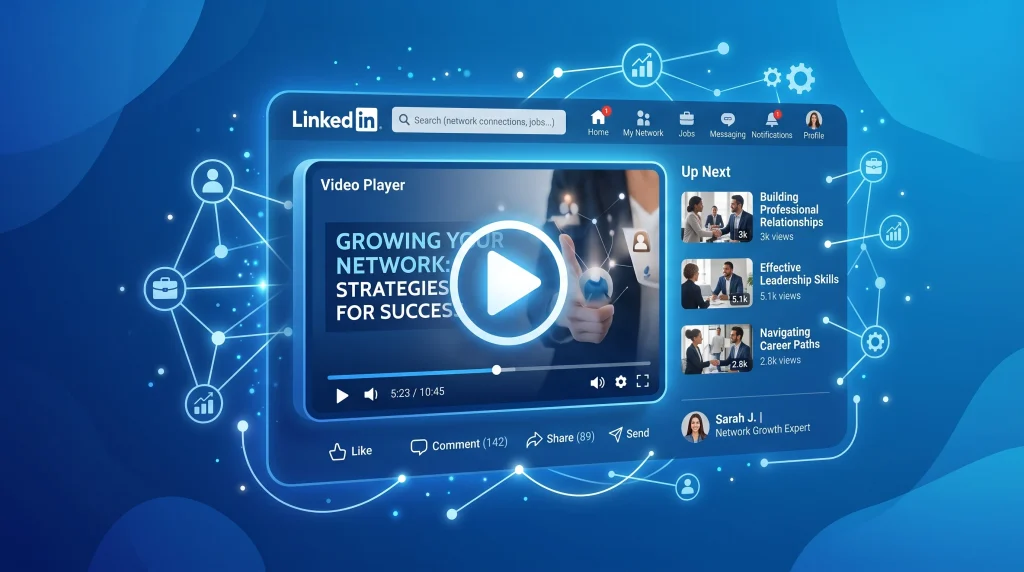
LinkedIn has its own approach to surfacing video content. Most feeds are tuned to highlight content that encourages conversations and feels relevant to your network or industry. LinkedIn takes into account things like how many people get involved with your video right after it’s posted, the types of reactions and comments, and even the professional context of the viewers watching your video.
Key Signals LinkedIn Looks For:
- Engagement within the first hour; likes, comments, and shares really matter early on.
- Viewer watch time; if people watch most or all of your video, LinkedIn sees your content as valuable.
- Network relevance; more views from connections or industry-relevant people often push videos further.
- Quality comments; actual discussions (not just thumbs-up emojis) are a big plus.
Pumping up these signals gives you a real shot at wider reach and lets you grow fast in your niche.
Choose the Right Topics and Formats
Your topic and video format make a big difference when it comes to ranking. Most LinkedIn users want short, sharp insights or useful guides. Videos that answer common industry questions, share behind the scenes processes, or react to popular trends usually grab attention.
Popular Video Types That Work:
- Tutorials and howtos (2–3 minutes is a sweet spot)
- Industry commentary or hot takes
- Quick tips for solving real world professional problems
- Case studies, wins, or lessons learned (sharing your process)
Pro Tip:
Use native video uploads instead of sharing a YouTube link. LinkedIn bumps up native videos to keep people on the platform, so your video is more likely to get seen.
Optimize Your Video for LinkedIn’s Feed
Small tweaks to your video itself can increase watch time and get more people involved. You don’t need polished editing, but clarity and accessibility make a big difference. Here’s what works best for LinkedIn:
- Start strong: Make the first 2–3 seconds count. Tell watchers why they should stick around.
- Add captions: Most people scroll LinkedIn on mute. Free tools like Kapwing or LinkedIn’s own caption feature save the day.
- Keep it short: Videos between 30 seconds and 2 minutes usually perform best.
- Vertical or square format: These formats look better on mobile and stop people from scrolling past.
Quick Checklist Before Posting:
- Clear audio and sharp video (even from a smartphone)
- Readable captions; don’t overload the screen
- A compelling thumbnail (choose or upload one if LinkedIn allows)
Craft Posts That Drive Engagement
LinkedIn videos don’t live in isolation. What you write in the post text is almost as important as the video itself. The goal is to spark interaction as soon as your video shows up in feeds. I’ve found these approaches work best for boosting engagement:
- Ask a question related to your video at the end of your post.
- Tag relevant people or companies (keep it genuine, don’t just tag for reach).
- Use 3–5 niche hashtags, not too broad, but not so obscure that nobody searches them.
- Share a personal story or quick insight to support the video.
Comments and discussion in that first hour really help your video get picked up by the algorithm. Even a thoughtful response or follow up can keep the conversation going, which LinkedIn values highly. Consistency in engagement boosts your future videos as well because LinkedIn sees you as an active contributor in your field.
Promote Your Video for Initial Traction
Once your video is live, don’t just hope it takes off. A bit of direct sharing and smart early promotion can help trigger LinkedIn’s algorithm. Here’s how I build momentum:
- Send the link to a select group of connections who care about the topic
- Share the video in relevant LinkedIn Groups (but avoid spamming)
- Encourage your team or colleagues to get involved authentically
Even 5 to 10 comments and a handful of shares in the first hour can move your video higher in more feeds. You can also include your video in your LinkedIn newsletter or mention it in a followup post to build more traction across your profile. Don’t forget to thank those who share and comment—a little gratitude can build long term supporters.
Track Your Video’s Performance and Refine Your Strategy
LinkedIn gives you some pretty handy analytics once a video is up for a few days. Pay attention to:
- Views and unique viewers
- Average watch time
- Who’s getting involved (look for titles, industries, and companies)
- Types of feedback in comments; questions, suggestions, disagreements
If you see a spike around certain topics or formats, try more videos like those. If watch times drop off quickly, shorten future videos or tighten intros. Over time, patterns will emerge so you can adjust and focus on what works best for your network. Experiment with different posting times and content styles to keep your approach fresh.
Troubleshooting Common LinkedIn Video Problems
My video isn’t getting any views; is it shadowbanned?
Usually it’s just timing or low initial engagement. Try posting during business hours in your main region. Make sure your network sees the post by getting involved with others right before posting your video to give LinkedIn the signal you’re active. Also, try tweaking your video description or hashtags for better discoverability.
How can I get more comments?
- Directly ask a question
- Respond quickly to every comment (even a quick “Thanks for your perspective!” encourages more replies)
- Mention how others have solved similar challenges
- Share a short follow up post referencing the ongoing discussion to keep interest alive
Should I boost posts with paid ads?
For most people, organic reach is enough when starting out. If you already see solid engagement and want to reach a specific audience, like a target account list, LinkedIn’s sponsored content tool can make it easy, but focus on strong content first before putting money behind your posts.
Next Steps? Your LinkedIn Video Action Plan
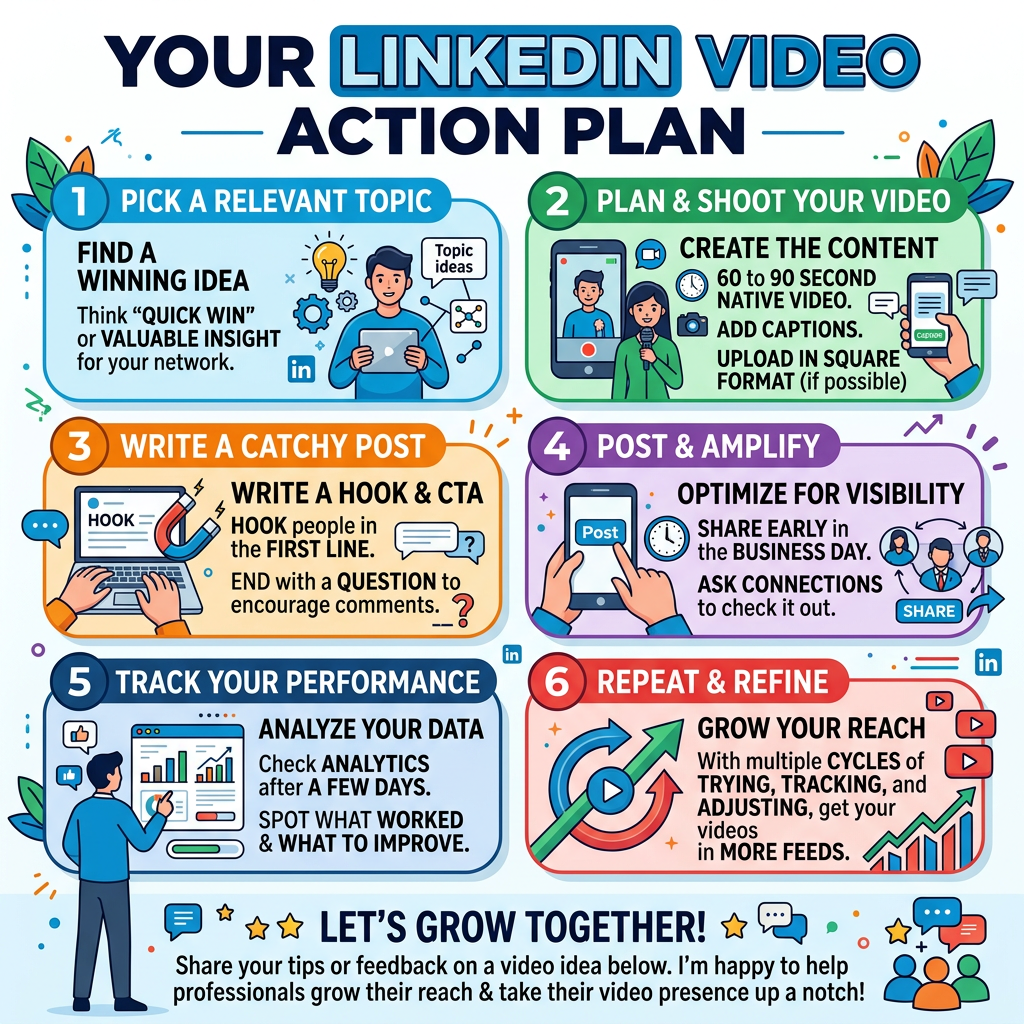
- Pick a topic relevant to your professional network; think quick win or valuable insight.
- Plan and shoot a 60 to 90 second native video. Add captions and upload in square format if you can.
- Write a post that hooks people in the first line and ends with a question.
- Share it early in the business day and ask a few connections to check it out.
- Check analytics after a couple of days to spot what worked, and what you can improve on next time.
With a few cycles of trying, tracking, and adjusting, your videos can start showing up in more LinkedIn feeds.
If you have tips or want feedback on a video idea, drop me a comment.
I’m always happy to help other professionals grow their reach and take their video presence up a notch!
Rank on social media on Amazon
Keep Exploring V-Rank
Creating a great video is only part of the journey. Getting it discovered, watched, and ranked is the next challenge.
V-Rank brings together practical guides, tools, and resources for improving video visibility—from video creation and SEO to platform algorithms, audience engagement, and ranking strategies.
New to video ranking?
Start with the Starter guides and build the fundamentals step by step.
Already know the basics?
Explore Advanced strategies for improving visibility, engagement, and performance.
Looking for deeper insights?
Visit the Expert section for more detailed ranking strategies and analysis.
Or browse the Latest Blogs to see what’s new on V-Rank.
Keep Learning. Keep Testing. Keep Ranking.
Video platforms change. Algorithms evolve. Tools come and go.
The goal of V-Rank is to help you understand what matters, test what works, and make better decisions about getting your videos discovered.
Wishing you the best of luck in achieving the top position!
First steps as a vlogger?
Visit Vlogsuite with tips and tools for vloggers
May you soar to rank #1 and celebrate your success with joy and excitement! 🚀 🏆🎉
Good luck ✨
Learn how to monetize your own website and sign up for free
This is an affiliate link to a tested platform that’s great for beginners who want to learn web development.
And make your own images