
Table of Contents
Free Intro And Outro Makers Online
If you’re looking to add some flair to your videos or give your YouTube channel a more professional vibe, an intro or outro can work wonders. A polished intro brings energy right off the jump, and a catchy outro encourages folks to subscribe or check out more of your content. Best of all, you don’t need fancy editing software or a big budget. There are loads of free intro and outro makers online that make the process a breeze, even for total beginners.
Why Use an Intro or Outro Maker?
Adding intros and outros is a great way to make your videos more engaging and help your brand stick in viewers’ minds. These quick video elements offer a professional touch without requiring advanced design skills or expensive software. They also reinforce your message and can urge viewers to stick around or return for more, giving your channel a needed boost of personality.
When I first started making videos for my side hustle, things looked pretty plain. But after adding a lively animated intro, my content felt next-level cool. People started watching longer, and my subscriber numbers started creeping up fast.
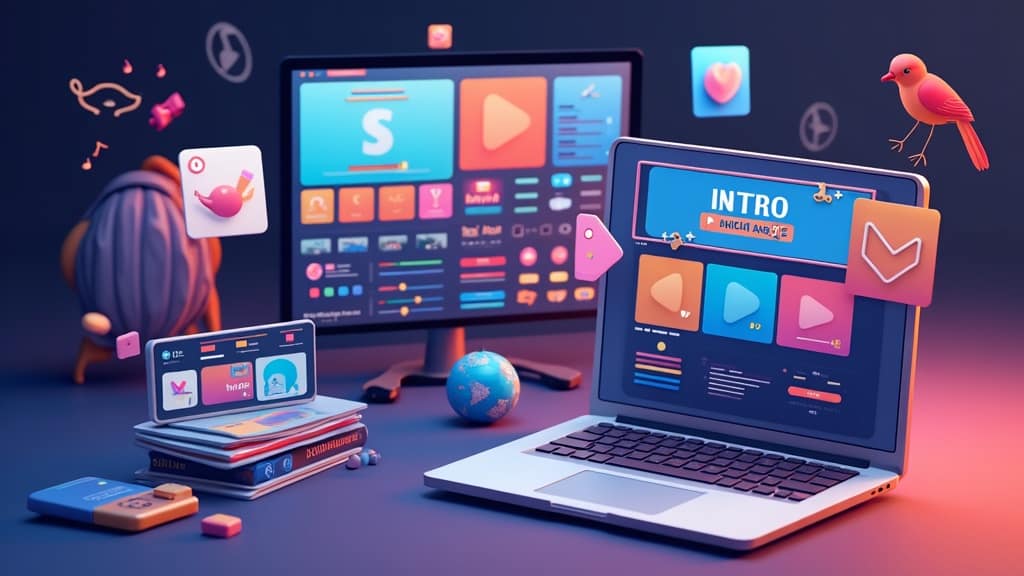
The majority of free online intro and outro makers use easy drag-and-drop editors and include premade templates. That means you don’t have to start from scratch; just tweak colors, add your logo, and personalize the text with a few clicks.
Top Features to Look For in Free Online Intro and Outro Makers
As I check out different intro and outro maker sites, I always scout for features that make the process smooth. Here’s what you should spot:
- Template Selection: Having a diverse set of styles makes it easier to find one that fits your channel, whether you want bold graphics or simple, minimal looks.
- Easy Customization: The best tools let you upload logos, switch up colors, pop in custom text, and even change the tune.
- No Watermarks: Watch out for tools that stamp a watermark on your finished video unless you upgrade. If you want a clean look, make sure watermark-free downloads are available.
- Audio Options: The right music gives your intro and outro energy. Go for makers that have a built-in audio library, or let you upload your own track.
- Download Quality and Formats: You’ll want at least HD-quality downloads in a universal format like MP4 for posting to YouTube or social media.
Quick Start Guide? Create Your First Free Intro or Outro
Making your first custom intro or outro using a free maker is super simple. Even if you haven’t touched video editing before, you can make something impressive by following these straightforward steps:
- Pick a Template: Browse the template library and look for a motion graphic, geometric animation, or a bold-themed background that matches your vibe.
- Customize: Plug in your channel name, upload a logo, change up the colors, and swap in your own tagline until it feels just right.
- Music Selection: Choose from the included tracks or upload your own music. A catchy sound helps your intro pop.
- Preview: Watch how it all comes together and tweak anything that feels off.
- Export and Download: Once everything’s in place, download your intro or outro—most sites export to MP4 by default.
These steps usually take about ten minutes. Try a few different templates and sounds for variety. The more you play around, the more your style will shine through.
Top Free Intro and Outro Makers Online Worth Checking Out
There are plenty of free tools out there. After messing around with quite a few, these are my favorites for anyone just getting started:
- Canva: This all-in-one design tool stands out. Canva’s free version gives you loads of stylish video templates, including animated intros and outros. Upload your logo, adjust the text, and make it yours. Explore the options at canva.com.
- Renderforest: With a big range of animated templates—from futuristic to playful—Renderforest is great for slick results. You will need an account. The free version adds a small watermark, but it’s not too distracting.
- FlexClip: This web-based editor offers lots of video intro/outro templates. You can change up music, edit text, and add transitions. It’s reliable for HD exports—just register for a free account at flexclip.com.
- Panzoid: Perfect for gaming intros, Panzoid brings some wild 3D templates. It’s a little old-school, but you can make eye-catching, effects-filled intros with a bit of tinkering.
- Biteable: Simple and animation-focused, Biteable works well for punchy intros and outros. Free downloads are a bit limited, but it’s nice for quick learning and easy demos.
Each tool comes with its upsides and downsides. Some leave a watermark, while others have export restrictions. Try a few to see which fits your process and style.
Common Things to Watch Out For When Using Free Makers
Even with the convenience, there are a few things that could trip up newcomers. Based on personal trial and error, here’s what to check out:
- Export Limits: Some sites cap the number of exports per month or limit you to standard definition unless you pay.
- Watermarks: Pretty normal on free plans. Always check how big the watermark is and where it lands before you finish.
- Legal Use of Assets: Make sure the included music and images are okay to use, especially if your videos are for YouTube monetization.
- File Compatibility: Most tools offer MP4 exports, but if you need a different format, double-check before putting in lots of work.
Export Quality
Lower-quality (SD) exports can look grainy on big screens or YouTube. For better results, seek out tools that let you download in HD for free. Canva and FlexClip usually deliver sharp quality in their free versions.
Watermark Visibility
Plenty of free makers add a logo watermark to your video. If it’s just for a test or practice, it’s not a big deal, but always preview your project before final export. Smaller corner watermarks tend to be less obtrusive than huge logos splashed across the center.
Checking Music and Image Licensing
Lots of these tools use stock music and images. If you post on YouTube—especially for monetized videos—always check their licensing info. Big names like Canva include clear terms, while smaller sites might not. Look into this before uploading to avoid copyright headaches.
Simple Tips To Make Your Intros and Outros Stand Out
There are ways to make your intro or outro more memorable. Try these tips to give your videos a boost:
Keep it Short: Between 5 and 10 seconds is best. Too long, and viewers might click away before your main content begins.
Stay Consistent: Use matching colors, logos, and styles for intros, outros, and channel art. This helps your brand stand out and be instantly recognizable.
Use Beat Drops or Surprise Cuts: Syncing text or animation to a beat or sound effect gives your intro an extra punch, helping your branding sink in.
Add Subtle Calls-to-Action: Outros are a natural place for a quick “Thanks for watching; please subscribe!” or a suggestion to check out another video.
Try Transitions: Fade-ins, slide-outs, or motion effects add a polished feel—many free makers include these as one-click options.
Practical Uses For Intros and Outros: Real Examples
Most video creators on YouTube, TikTok, or those making training videos, can step up their content using intros and outros. Here are some real-world uses:
- YouTube Channels: Nearly all popular YouTubers have a unique intro or quick animation that sets their channel apart and gets viewers hyped from the beginning.
- Online Courses: Intros make your course look pro from the outset. Outros offer reminders about where to find more info or encourage students to visit your site or community.
- Product Demos: A short intro sets the stage for showing new features, and the outro gives viewers extra info or contact details.
Frequently Asked Questions
I get asked loads of questions from new video creators, so here are some quick answers that should help:
Question: Are free intro and outro makers actually safe to use?
Answer: The biggest names—Canva, FlexClip, and Renderforest—are reputable. Download from the official sites, and don’t share personal data unless the platform is trustworthy.
Question: Can I use these intros for monetized YouTube videos?
Answer: Generally, yes, as long as the music and images in your template are cleared for commercial use. Licensing can differ, so always check each site’s terms just to be safe.
Question: What if I want to edit my intro later?
Answer: Most makers let you revisit saved projects from your account. If you think you might want to tweak your intro, hang on to the project link or downloadable template.
Start Creating. No Editing Skills Needed!
Designing a fresh intro or outro doesn’t require tech expertise or a deep wallet. Free online makers are perfect for testing new looks, experimenting, and quickly seeing results. Keep the key tips in mind and you’ll be able to craft engaging openers and finishers that really let your channel shine in a packed field of creators. Find a style that matches your content, and it’s likely you’ll notice improved viewer engagement and gain newfound confidence in your videos.
Keep Exploring V-Rank
Creating a great video is only part of the journey. Getting it discovered, watched, and ranked is the next challenge.
V-Rank brings together practical guides, tools, and resources for improving video visibility—from video creation and SEO to platform algorithms, audience engagement, and ranking strategies.
New to video ranking?
Start with the Starter guides and build the fundamentals step by step.
Already know the basics?
Explore Advanced strategies for improving visibility, engagement, and performance.
Looking for deeper insights?
Visit the Expert section for more detailed ranking strategies and analysis.
Or browse the Latest Blogs to see what’s new on V-Rank.
Keep Learning. Keep Testing. Keep Ranking.
Video platforms change. Algorithms evolve. Tools come and go.
The goal of V-Rank is to help you understand what matters, test what works, and make better decisions about getting your videos discovered.
Wishing you the best of luck in achieving the top position!
First steps as a vlogger?
Visit Vlogsuite with tips and tools for vloggers
May you soar to rank #1 and celebrate your success with joy and excitement! 🚀 🏆🎉
Good luck ✨
Learn how to monetize your own website and sign up for free
This is an affiliate link to a tested platform that’s great for beginners who want to learn web development.