

Table of Contents
Video Analytics Checklist To Refine And Improve Ranking Strategy
If you’re aiming to improve your video ranking strategy, video analytics are your best friend. Tracking and understanding the right data helps you figure out what’s actually working and what needs to be changed. Instead of making guesses, I use a checklist to give each of my videos the best shot at performing well, attracting more viewers, and growing my channel. This guide shows you exactly how I refine my video ranking plan with analytics, even if you’re brand new to all this.
Video platforms provide a ton of stats, but knowing what to pay attention to is really important. Every view, click, and comment tells a story about how my audience finds and interacts with my content. A focused checklist keeps me on track, so my ranking strategy is always getting better with each new video. Here’s how I break down the process, step by step.
Step 1: Define Success Metrics for Your Videos
The first step is to decide what success looks like for each video. I’ve learned that what counts as a “winning” video depends on my goals. Am I trying to build subscribers, increase watch time, drive people to a website, or maybe get more shares?
Key Questions to Ask Before Posting:
- What main purpose do I want this video to serve?
- Which stats really show if my video is working?
- Are there different metrics that matter for shortform vs. longform content?
Common Video Analytics Goals:
- More video views
- Higher average watch duration
- Improved clickthrough rate (CTR) on thumbnails and titles
- Increased audience retention after the first 30 seconds
- Growth in subscribers during or after the video
Knowing these goals gives me a clear baseline to measure against, instead of comparing myself to huge channels or popular trends. It’s my way to keep things realistic and focused on progress that matters to me.
Step 2: Track the Right Engagement Metrics
Paying attention to the right stats gives me a clear picture of how my videos are performing. Focusing on the ones that matter keeps me from getting buried in data that doesn’t move the needle. Here are the main data points I track with every upload:
Core Engagement Stats:
- Impressions: The number of times my thumbnail is shown to potential viewers.
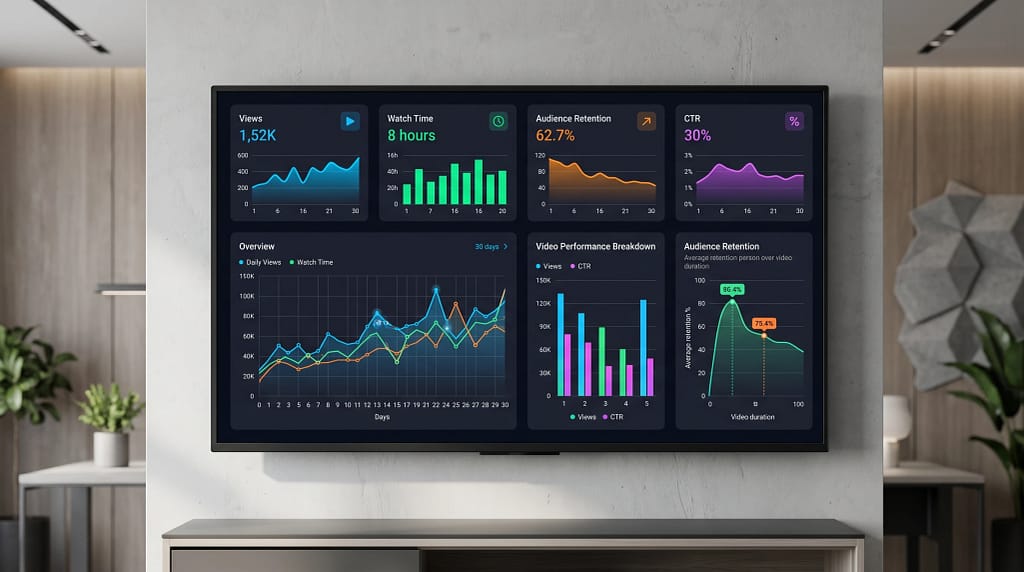
- Clickthrough Rate (CTR): What percent of people click when they see my video?
- Average View Duration: How long are people watching before leaving?
- Total Watch Time: The total amount of viewing minutes my video gets. This helps video platforms decide if my video deserves to go viral.
- Audience Retention Graph: Where do most viewers drop off or rewind?
- Engagement Actions: Likes, comments, and shares—these show how much viewers care.
- Subscriber Growth: Did this video convince new people to join my channel?
Checking these stats regularly helps me spot areas for improvement. For example, if my CTR is low but impressions are high, I know my title or thumbnail needs a boost. If retention is strong but engagement is low, maybe I need to ask for more interaction within the video. The numbers tell me where to focus for the next round.
Step 3: Analyze Audience Retention for Insights
Audience retention shows me exactly when viewers lose interest or stay hooked. I usually check the audience retention graph within the first 48 hours after publishing. The graph tells me if people are bailing during my intro, skipping ahead, or watching all the way through.
How I Use Audience Retention:
- I look for sudden drops early in the video. That usually means the hook isn’t grabbing enough attention.
- If viewers rewind or rewatch a section, I try to use more of that type of content in future videos.
- I check for common moments where people leave, so future videos avoid those same mistakes, like rambling intros or off-topic tangents.
Platform algorithms also reward videos with strong retention, so improving this number often leads to higher rankings and more recommended views.
Step 4: Optimize Titles, Thumbnails, and Descriptions
I treat my title and thumbnail like a billboard. If people aren’t clicking, something needs to change. Video analytics guide how I update these pieces over time. I also pay attention to trends, such as the type of imagery or wording that gets more clicks in my niche, and I’m not afraid to mix things up.
Ways I Improve Clickthrough Rate:
- Testing new title formulas that better match what viewers are searching for
- Refreshing thumbnails to highlight action, emotion, or clear subject focus
- Using data from YouTube or other video platforms to compare which titles and thumbnails actually drive more clicks
The description is another key spot for improvement. Including targeted keywords gives search engines context and can help new viewers stumble upon my video. Adding relevant links, chapter timestamps, and a clear call to action helps both ranking and engagement. I also use hashtags, when relevant, to reach broader audiences.
Step 5: Compare Performance With Competitors
Checking out what others in my niche are doing gives me fresh ideas and benchmarks. I don’t copy, but I do look at what works for channels I respect. It’s interesting to spot patterns across top performers—some keep things fast-paced, while others use more storytelling. That gives me ideas to try in my own videos.
How I Analyze the Competition:
- Compare watch time and engagement on similar topics
- Study which keywords and hashtags top videos are using
- Note differences in video length, editing style, or publishing schedule
Seeing the trends in my space shows what viewers respond to. When I adjust my own content based on these findings, I often see a real bump in performance. Tracking competitors also reveals content gaps, so I can make videos on topics they haven’t covered yet.
Step 6: Schedule Regular Analytics Reviews
Looking at my stats once is helpful, but building a habit of regular reviews has helped me grow. Weekly reviews ensure I never miss sudden trends or warning signs. I set aside time each week to go over the latest numbers and easily spot which videos are on the rise or falling back. That way, I can respond quickly and test new ideas before the opportunity slips by.
Checklist for Analytics Reviews:
- Review which videos are rising or falling in performance
- Spot sudden spikes or drops and figure out what caused them
- List takeaways to shape future content or update existing videos
Small, regular changes add up fast when I use a consistent analytics routine. Over time, I notice improved trends in watch time and growth—even small tweaks can keep viewers coming back for more. If you want a sustainable and exciting channel over the long term, regular reviews are a must.
Step 7: Adjust and Experiment With Your Strategy
Improving a video ranking strategy means I can’t just set and forget. I make adjustments over time, based on what analytics tell me. Experimenting with new content styles, thumbnails, and keywords keeps my channel active and responsive to changes in the platform’s algorithm. I also pay attention to audience comments—sometimes your viewers give you the best advice for what to try next.
Tips for Ongoing Improvement:
- Try AB testing for thumbnails and titles when possible
- Use shortform uploads to test engagement on new topics
- Respond to comments and watch for suggestions from my audience
- Document changes and results so I can repeat what works
With practice, I’ve gotten a lot better at spotting growth opportunities early on and making changes before things stall out. Embracing experimentation keeps your channel feeling fresh and gives you a clear edge over creators who never switch things up.
Answers to Common Questions About Video Analytics
What if my audience retention is always low?
I focus on making the first 15 seconds as clear, energetic, and helpful as possible. Trimming slow starts or confusing intros helps a lot. I also add moments of surprise or direct questions to keep viewers hooked.
How do I pick the right keywords for my video?
- I use the platform’s autocomplete feature to find common searches related to my topic.
- I check competitor videos and tools like TubeBuddy or VidIQ to see what keywords are ranking high.
- Using a mix of broad and specific keywords in the title, description, and tags works well for me.
Should I delete underperforming videos?
I usually don’t delete old videos unless there’s a really good reason. Instead, I update titles, thumbnails, or descriptions to see if I can revive interest. Sometimes a small change in thumbnail or a snappier title gives an old video new life.
Action Plan for a Stronger Video Ranking Strategy
Using video analytics makes my ranking strategy smarter with every upload. Here’s the plan I follow to keep improving:
- Decide on the main goal for each video before publishing.
- Track key metrics like retention, CTR, and watch time weekly.
- Update and test new titles, thumbnails, or keywords when needed.
- Watch for trends and ideas from other channels in my space.
Staying curious and checking in with my analytics makes sure my strategy keeps moving forward, not just relying on luck or trends. The more I dig into my data, the better I understand what works for my unique channel and audience. What’s the first change you want to make to your video analytics checklist?
SEO for vloggers on Amazon
Keep Exploring V-Rank
Creating a great video is only part of the journey. Getting it discovered, watched, and ranked is the next challenge.
V-Rank brings together practical guides, tools, and resources for improving video visibility—from video creation and SEO to platform algorithms, audience engagement, and ranking strategies.
New to video ranking?
Start with the Starter guides and build the fundamentals step by step.
Already know the basics?
Explore Advanced strategies for improving visibility, engagement, and performance.
Looking for deeper insights?
Visit the Expert section for more detailed ranking strategies and analysis.
Or browse the Latest Blogs to see what’s new on V-Rank.
Keep Learning. Keep Testing. Keep Ranking.
Video platforms change. Algorithms evolve. Tools come and go.
The goal of V-Rank is to help you understand what matters, test what works, and make better decisions about getting your videos discovered.
Wishing you the best of luck in achieving the top position!
First steps as a vlogger?
Visit Vlogsuite with tips and tools for vloggers
May you soar to rank #1 and celebrate your success with joy and excitement! 🚀 🏆🎉
Good luck ✨
Learn how to monetize your own website and sign up for free
This is an affiliate link to a tested platform that’s great for beginners who want to learn web development.