Table of Contents
Video Ranking To-do List to Boost Watch Time Metrics
Boosting watch time metrics is one of the most effective ways I know to help videos rank higher on platforms like YouTube. Video ranking isn’t just about views or catchy thumbnails. Platforms measure how long people actually watch and get involved with my content. If viewers stick around, the algorithm notices and rewards my videos with better placement.
At first, it’s tempting to get caught up in subscribers or total views. Over time, I learned that watch time has a bigger impact on video ranking. Improving it can really change the growth of a channel and help more people stumble upon my work.
This checklist is built from my own experience and research. I organized the steps to help anyone strengthen their video watch time, not just for satisfying the platform’s algorithm, but for creating videos viewers actually want to watch. Along the way, I’ll also dig into some common mistakes and extra strategies that have made a real difference for me and my fellow creators.
Step 1: The Importance Of Watch Time
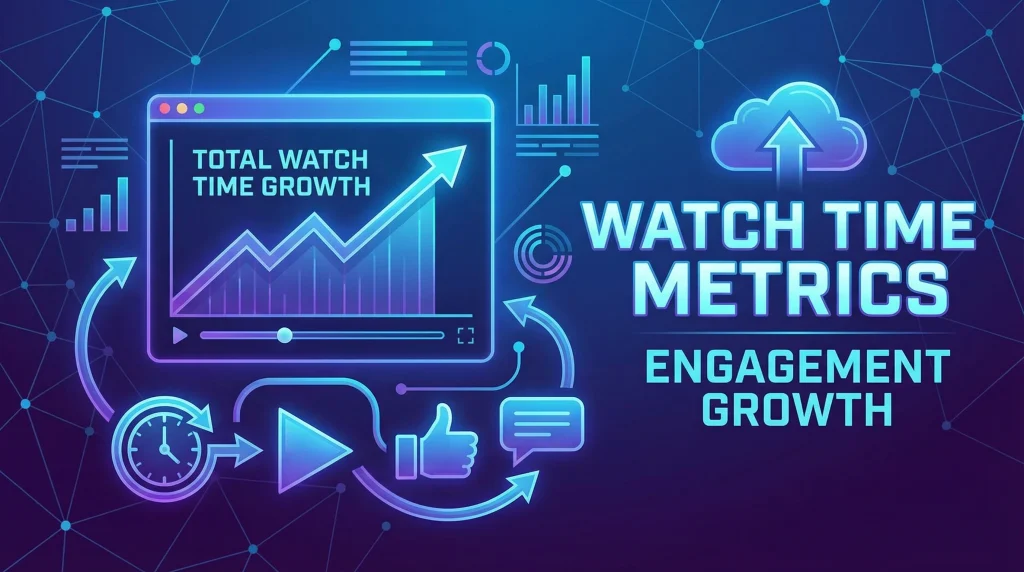
Watch time is the total number of minutes that viewers spend watching videos. Platforms like YouTube value watch time because it shows how engaging and satisfying my content is to viewers. The more time people spend watching, the more likely the platform is to promote my video to other users.
Why Watch Time Matters
- Watch time is a key ranking factor. The higher the watch time, the better the ranking potential.
- Longer average watch duration tells platforms that viewers enjoy my content.
- High watch time often leads to more recommendations and appearances in suggested videos.
Once I understood that boosting watch time improves discoverability, I started prioritizing it in my video game plan.
Step 2: Plan Content with Viewer Retention in Mind
Planning content is where I lay the foundation for good watch time. The goal is to make every moment of the video valuable to the viewer, which helps prevent early drop-offs.
Tips for Planning High Retention Videos
- Pick a clear topic and make sure the title matches the video content.
- Create a strong hook in the first 15 to 30 seconds and get to the value quickly.
- Outline each section, making sure there are no slow or off-topic moments.
- Include visuals or graphics to hold attention and explain important points.
- Break up long segments into shorter, engaging parts to avoid viewer fatigue.
If I plan my script and visuals for engagement, I notice fewer viewers clicking away early. I also like to storyboard major sections or write brief notes on what visuals or animations would work best. Having this extra structure keeps my editing much smoother, too.
Step 3: Optimize Your Video’s Introduction and Hook
The intro is where most viewers decide whether they’ll keep watching or leave. I pay special attention to this part of my videos, making it as energetic and focused as possible.
How to Improve Your Video Hook
- Address the viewer’s problem or curiosity right away.
- Preview what will be covered, keeping it short and to the point.
- Avoid long intros or extra self-introductions.
- Use energetic visuals, music, or animation to keep things lively.
When I get straight to the point and give viewers a reason to care, my retention graphs always show an improvement in the early minutes. Sometimes, I use a quick tease about something surprising coming up later to spark curiosity.
Step 4: Edit for Pacing and Engagement
Video editing is where I shape the viewer experience. Good pacing, smooth transitions, and visual cues keep viewers interested from start to finish.
Editing Strategies to Boost Watch Time
- Cut out any unnecessary pauses, tangents, or filler words.
- Add onscreen graphics, popup text, or B-roll footage to keep scenes lively.
- Use fast paced edits in key moments to create energy and excitement.
- Insert recaps or quick teasers before important sections to build anticipation.
- Review the video with fresh eyes. If I find myself getting bored, viewers likely will too.
Polished editing leads to fewer dips in watch time and viewers are more likely to stick around until the end. For longer videos, consider using jump cuts or even quick-cutting between different vantage points or backgrounds for extra interest. Little technical tweaks can add a lot over time.
Step 5: Use Chapters and Visual Structure
Chapters and clear visual structure make it easy for viewers to follow along. When I use clear labels, viewers can jump to the most interesting parts instead of clicking away.
How to Add Structure to Your Videos
- Use YouTube chapters or timestamps in the description for quick navigation.
- Add onscreen labels at the start of new sections.
- Use consistent transitions and visual cues so viewers know what’s coming next.
This helps both viewers in a rush and those who want to rewatch specific segments, which often increases overall watch time. Plus, searchable chapters can make your content more findable through both YouTube and Google, driving more traffic and engagement.
Step 6: Encourage Viewer Interaction and Loyalty
Building community within my videos helps create loyal viewers who watch for longer and return to my channel. Connection goes beyond just algorithm signals; it’s about forming relationships that turn first-time viewers into regulars.
Ways I Build Viewer Loyalty
- Ask questions or encourage comments at key points in the video.
- Add end screens or in-video cards that link to other relevant videos.
- Directly invite viewers to subscribe or hit the notification bell if they find my content valuable.
- Respond to comments and get involved with my audience after uploading.
When viewers feel connected, they tend to stick around, get involved, and remember my channel. Over time, this engagement builds a cycle: stronger watch time leads to a bigger audience, which leads to even better performance on new videos.
Step 7: Test, Measure, and Adapt Your Approach
Improving watch time is a process. I check analytics and gather feedback after each video to see what works and what might need a tweak or total switch up.
Check and Tweak Your Approach
- Review audience retention graphs to spot where viewers drop off.
- Test different hook styles or video lengths to see what keeps viewers around longer.
- Compare watch time on different video topics or formats to see what my audience likes best.
- Update old videos with new chapters, better thumbnails, or edited sections if they have potential.
Being flexible and always learning helps me steadily improve watch time and overall channel performance. Don’t be afraid to take a guess and try new techniques—the insights you gain might surprise you!
Common Questions & Troubleshooting
What if my retention drops at the same spot in every video?
I look closely to see if certain segments are dragging, off topic, or too repetitive. Sometimes it’s because of weak transitions or an unclear message at that moment. Try breaking these points up with a quick graphic or animation, or restructure your narrative so the flow stays smooth and logical throughout.
How can I make longer videos without losing viewers?
- Break larger topics into clear sections or mini stories.
- Use more visuals, B-roll, or popup facts to keep the pace lively.
- Short recaps and teasers help reset attention and motivate viewers to watch longer.
- Consider interactive elements, such as on-screen polls, to keep people engaged throughout the longer run time.
Should I delete videos with poor watch time?
I rarely delete videos. Instead, I try updating thumbnails, titles, or editing the video for better engagement. Sometimes older videos can pick up new views and better watch time if improved. Also, updating descriptions or adding chapters can influence search and discovery on older content.
Put Your Video Watch Time Checklist Into Action
Improving watch time takes ongoing effort, but every small change adds up. My process has always involved updating my approach based on feedback and results. When viewers stick around longer, it opens the door to more growth and new opportunities. Steady progress here eventually pays off—think of it as compounding interest for your channel.
Your Next Steps
- Outline your next video with a strong hook and clear sections. Write down where you’ll add props, graphics, or camera angle changes.
- Edit for pacing and add visual interest to keep things energetic. Try watching with the sound off to focus only on visuals—does it still hold your attention?
- Check analytics after uploading and adjust based on real viewer behavior. Keep a log of what works and use it to plan your next videos.
How are you planning to boost your video’s watch time?
Share your own tips or questions below. I’d love to hear what’s working for you and where you’d like more help. Let’s keep learning together!
Seo for advanced users on Amazon
SEO for vloggers on Amazon
Keep Exploring V-Rank
Creating a great video is only part of the journey. Getting it discovered, watched, and ranked is the next challenge.
V-Rank brings together practical guides, tools, and resources for improving video visibility—from video creation and SEO to platform algorithms, audience engagement, and ranking strategies.
New to video ranking?
Start with the Starter guides and build the fundamentals step by step.
Already know the basics?
Explore Advanced strategies for improving visibility, engagement, and performance.
Looking for deeper insights?
Visit the Expert section for more detailed ranking strategies and analysis.
Or browse the Latest Blogs to see what’s new on V-Rank.
Keep Learning. Keep Testing. Keep Ranking.
Video platforms change. Algorithms evolve. Tools come and go.
The goal of V-Rank is to help you understand what matters, test what works, and make better decisions about getting your videos discovered.
Wishing you the best of luck in achieving the top position!
First steps as a vlogger?
Visit Vlogsuite with tips and tools for vloggers
May you soar to rank #1 and celebrate your success with joy and excitement! 🚀 🏆🎉
Good luck ✨
Learn how to monetize your own website and sign up for free
This is an affiliate link to a tested platform that’s great for beginners who want to learn web development.
And make your own images