Table of Contents
Where To Find High-Quality Video Templates
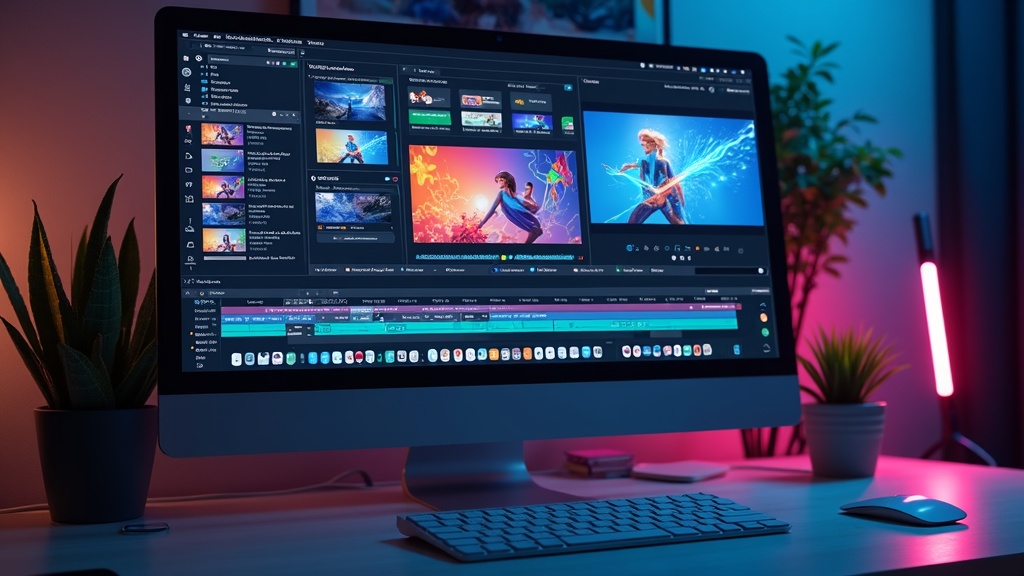
Video templates can totally change the way anyone works with video, whether it’s for social media, business presentations, YouTube intros, or creative projects. I’ve found that starting with a reliable template saves a ton of time and helps boost quality, even if you’re not a professional video editor. There are loads of places to look, so I’ll walk you through where to track down high-quality video templates and what you should consider along the way.
What Makes a Video Template High Quality?
Not all video templates are built the same. Some look eye-catching in previews but fall apart when you try to customize them or export the final project. I always check for a few things before calling a template high quality:
- Easy Customization: Templates that use organized layers and label everything clearly make editing way easier.
- Compatibility: High-quality templates clearly state which programs they work with, such as Adobe Premiere Pro, After Effects, DaVinci Resolve, or Final Cut Pro.
- Preview Before Download: Being able to see the template in action helps avoid any surprises and gives a good sense of what to expect.
- HD or 4K Resolution: Templates designed for HD or 4K projects look sharp even on large screens and keep content looking professional.
- Licensing Details: Legit sites always have clear info about how you can use their templates. It’s crucial to look this over to avoid copyright headaches.
Top Websites for Finding Video Templates
Finding a high-quality video template doesn’t mean you need to scroll through endless search results. Here are a few sites I rely on regularly, whether I’m after YouTube openers, slideshow animations, or promo videos.
- Envato Elements: This site offers a huge library of templates for After Effects, Premiere Pro, and more. One subscription lets me download unlimited templates, including music and stock footage, which is an excellent value if you use templates frequently. Check out Envato Elements.
- Motion Array: Motion Array features a wide range of templates and plugins for video editors, from logo animations to lower thirds. You also get project files and sound effects for a complete workflow in one stop. See Motion Array.
- Adobe Stock: If you’re already working in Adobe Creative Cloud, Adobe Stock has templates that are double-checked by Adobe itself. They can be pricier per item than subscription-based services, but the quality and easy integration have always worked well for me. Explore Adobe Stock.
- Pond5: Pond5 is known for stock video but also carries a solid collection of templates, especially for After Effects. I’ve used Pond5 for polished infographics and slideshow templates when I need something truly professional. Browse Pond5 Templates.
- Mixkit: Mixkit stands out because it’s free and you don’t even need to set up an account for most downloads. The selection is smaller than paid sites, but the quality often surprises me for a zero-cost platform. Visit Mixkit.
Other options you might want to check out include Videezy, Renderforest, and MotionVFX. These offer custom styles and unique effects if you’re working on something a bit different. The key is to match your needs with what the site specializes in—you might stumble upon a gem when exploring new platforms.
How to Choose the Right Template Platform for Your Needs
Every creator has different priorities. Some sites focus on volume and variety, while others highlight quality and support. Here’s how I figure out which platform fits my project:
- Budget: If you edit often or for clients, a subscription site like Envato Elements or Motion Array gives you more bang for your money. For small, single-use projects, free platforms like Mixkit or pay-per-download sites might work better.
- Editing Software: Double-check that templates work with the software you already use. Some sites stick to After Effects or Premiere, while others offer options for Final Cut Pro or DaVinci Resolve.
- License Type: I always read the details to be sure I can use templates for commercial work, YouTube monetized videos, or client projects. It’s an area you don’t want to overlook.
- Support and Updates: For professional use, I value sites that offer support or regular updates to their templates. This is particularly helpful if your editing software updates and you need templates to keep up.
Understanding Different Types of Video Templates
The phrase “video template” covers a lot. Knowing the main categories helps me search with focus and nail the style I’m going for. Here are some types I use most often:
- Intro/Outro Templates: Great for branding the start and finish of YouTube videos, webinars, or business promos. These often include logo placeholders and animated text for a unified look.
- Slideshow Templates: My go-to for photo setups, wedding videos, or portfolio reels. They make big groups of images dynamic with smooth transitions.
- Lower Thirds and Titles: These overlays let me add things like names, locations, or social handles without designing custom graphics from scratch.
- Transitions: Animated transitions keep scene changes clean and professional looking. Motion Array, in particular, has packs I pull from for highlight reels and vlogs.
- Infographic Templates: For explainer videos, these make adding charts, graphs, and data animations simple—no need to animate every bit by hand.
You’ll also find templates geared specifically to Instagram Stories, TikTok, or unique vertical video formats. These can give a boost to your short-form content with designs tailored for social feeds.
Free vs. Paid Templates: What to Watch Out For
I’ve used both free and paid templates, and each has its perks. Paid templates usually mean better quality and support, but free options can be more than enough for personal or quick-turnaround projects.
Here’s how I keep things smooth, whichever route I take:
- Check for Watermarks: Some free templates include branding or watermarks that only go away after payment. I always look for this in the preview before downloading.
- File Safety: Only download templates from sites with positive reviews and clear licensing details. Suspicious zip files or vague instructions are big warning signs—and I’ve read stories about hidden malware in poorly checked downloads.
- Diversity: Paid marketplaces almost always offer more selection, especially when I need a specific style or effect.
- Documentation: Paid templates often come with guides or video walkthroughs. This is super helpful if I’m working with a complex setup for the first time.
Common Hurdles and How to Tackle Them
No process is totally seamless, so here are a few things I’ve run into (and learned how to avoid):
- Software Version Mismatches: Sometimes templates are created in different versions of editing programs. I make sure to double-check version numbers before downloading, and if in doubt, I choose those labeled as “universal.”
- Heavy Project Files: Advanced templates with lots of effects can slow down older machines. I check minimum specs and close other programs while editing so things run more smoothly.
- Surprising Licensing Limits: Some templates seem “royalty-free,” but there can be restrictions for certain uses like commercials. It’s wise to check up on licensing—especially for free sites—so nothing blocks your plans down the road.
How I Test a New Template
When I download a template for the first time, I usually do a quick test by swapping in a photo or video clip. If it updates smoothly and the timeline stays organized, it’s a keeper. Some templates have their own color controls or extra settings, so trial runs help me make sure they’re as flexible as promised.
Real-Life Uses for Video Templates
I’ve used templates for all sorts of things: personal milestones, client ads, YouTube videos, course materials, and more. Here’s where templates really shine:
- Branding: Consistent intro and outro animations give a more polished look to series, podcasts, and live streams—even across different platforms.
- Marketing: Promo templates make pitching products or events much faster, especially if you don’t have an in-house designer.
- Education: Slide-based templates help keep tutorials and courses looking sharp, so you can focus on the teaching, not just the layout.
- Events: Templates for slideshows and logos are clutch for weddings, sports highlights, graduation reels, and similar events that need a professional touch.
I’ve also found templates to be awesome for quick-turnaround projects or last-minute content updates. If you’re in a pinch, an organized template takes so much hassle out of producing something visually awesome in a short timeframe.
Frequently Asked Questions
Question: Can I change the music in most video templates?
Answer: Most current templates let you swap out audio tracks, though with some, the animation syncs to the original music. Always preview with your intended track if timing is critical to the final result.
Question: Are video templates reusable?
Answer: Usually, as long as the license allows it. I can use a template in multiple projects—just remember to double-check if there are any limits on redistribution or monetization.
Question: Do I need advanced editing skills to use templates?
Answer: Most are made for beginners and come with instructions. If you’re comfortable dragging media onto a timeline and customizing text, you’ll manage fine.
Wrapping Up
Video templates make creating videos way easier, giving everyone—from beginners to pros—the tools to take their content up a notch without spending forever editing. Picking the right platform, making sense of licenses, and checking compatibility can save you lots of stress. I always tell friends, let the templates handle the heavy lifting, so you can have more fun customizing things your way and focusing on what matters: your message and your creative vision.
Get in touch
For optimal video SEO, it is crucial to strike a harmonious equilibrium and execute tactics that correspond to your unique content and intended viewership. Don’t hesitate to contact us for a customized estimate and elevate your video content to unprecedented levels of accomplishment.
First steps as a vlogger?
Visit Vlogsuite with tips and tools for vloggers
Wishing you the best of luck in achieving the top position!
May you soar to rank #1 and celebrate your success with joy and excitement! 🚀 🏆🎉
Good luck ✨